Owner answer
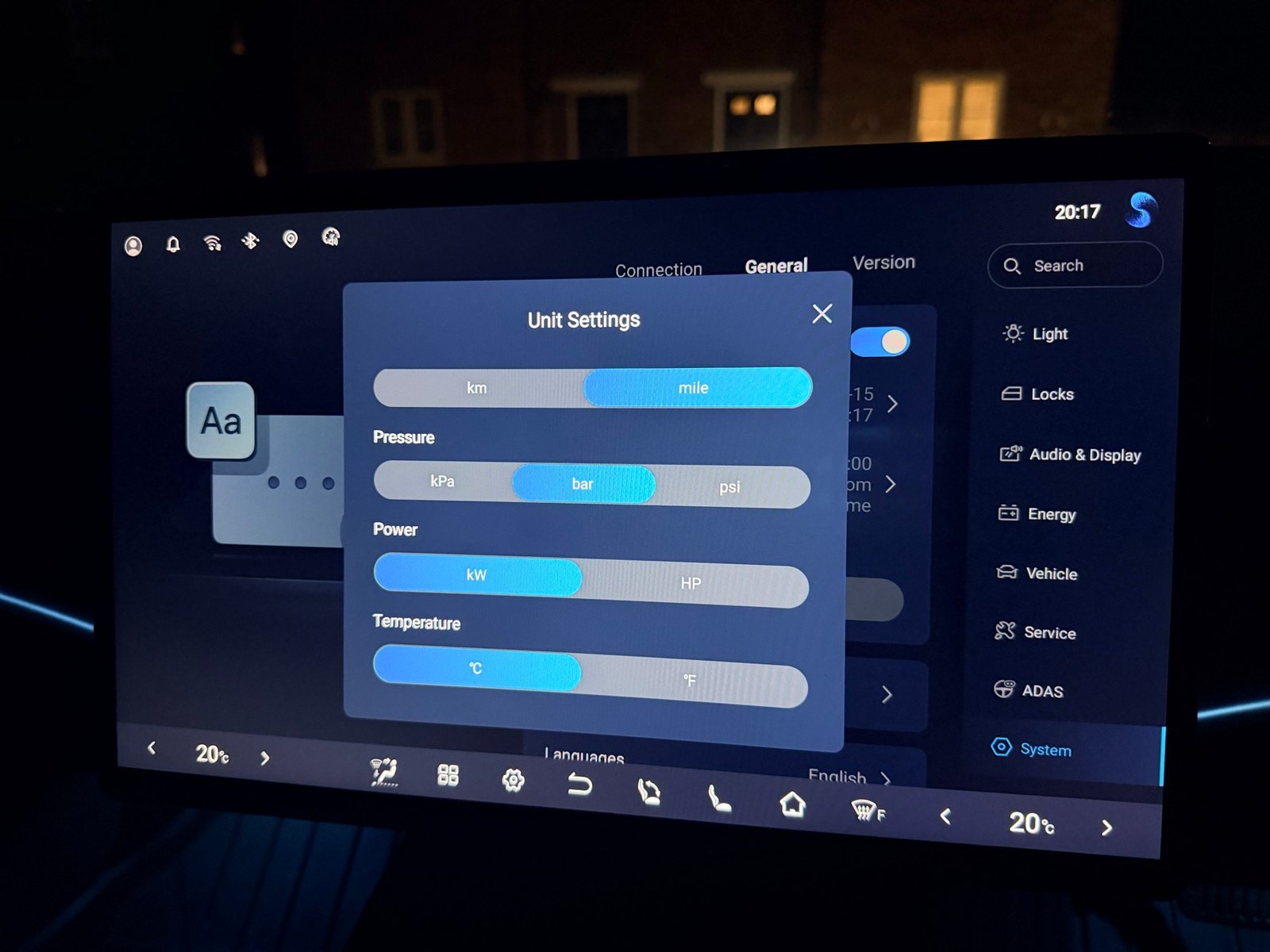
BYD SEAL: change tyre pressure units from bar to PSI
Change the SEAL tyre pressure display from bar to PSI or kPa using System → General → Units. Owner-verified photos show the exact menu.
Read more →MYBYD KNOWLEDGE LIBRARY
Every published guide, answer, update and manual route in one clear directory.
112 published library items · BYD SEAL
GUIDE LIBRARY
Browse every published MyBYD guide, answer, update and official-manual route. Use model filters when the detail needs to match your car.
Owner answer
Change the SEAL tyre pressure display from bar to PSI or kPa using System → General → Units. Owner-verified photos show the exact menu.
Read more →
Owner answer
A reversing sound may be the designed pedestrian warning, but an unfamiliar noise is not a diagnosis. Check your model’s handbook and safe next steps.
Read more →
Owner answer
A parked, step-by-step route for repeated Android Auto disconnections: choose wired or wireless, check the connection and record what actually fails.
Read more →
Practical guide
A calm starting point when your BYD will not charge, an app fails, a warning appears or a bill looks wrong. Choose the symptom, find the right guide and know who can help.
Read more →
Owner answer
Know the difference between reaching relative safety and being unable to leave the car safely. Official motorway guidance first; BYD recovery and vehicle procedures afterwards.
Read more →Owner answer
Find the right receipt after contactless, phone-wallet, app or roaming payment—and understand why a physical card’s last four digits may not locate a phone-wallet session.
Read more →
Owner answer
Electricity, parking and charger overstay rules are separate checks. Read the signs, avoid assuming a charging receipt covers parking, and keep useful evidence if a bill looks wrong.
Read more →
Owner answer
A practical fallback when an app will not load: check the payment methods at the exact charger, distinguish authorisation from charging and avoid repeated failed taps.
Read more →
Owner answer
Protect a lost iPhone or Android wallet key, separate it from BYD app access and arrange a trusted way back to your car without assuming every key has been cancelled.
Read more →Owner answer
A calm checklist for BYD owners facing an unfamiliar charger payment page: verify the operator, avoid lookalike downloads and know what to do if you entered card details.
Read more →
Owner answer
Check whether Ohme has lost its connection before blaming the car, follow Ohme’s restart guidance safely, and understand why an offline Home Pro may charge immediately.
Read more →Owner answer
Compare contactless, network apps and roaming cards before charging your BYD: unit prices, membership costs and parking conditions can change the real total.
Read more →
Owner answer
A charging receipt measures supplied energy, not simply the battery percentage gained. Understand charging losses, cabin use and a careful worked example before assuming a fault.
Read more →Owner answer
Understand pre-authorisation holds, pending versus completed payments, failed charging attempts and the records to collect before querying a public-charging bill.
Read more →
Owner answer
Separate a hidden phone notification from an unsupported vehicle alert, then check BYD app permissions, silent categories and notification history without changing your car’s security settings.
Read more →
Owner answer
Add the BYD app widget, choose the available layout and work out whether a missing or stale display is a phone-widget problem or an app connection problem.
Read more →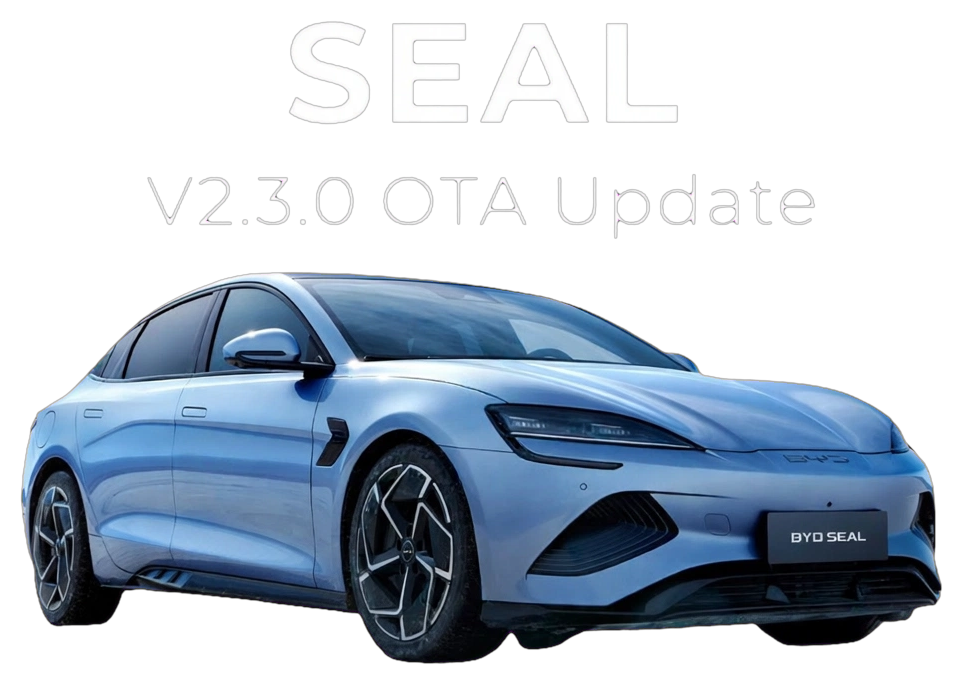
Software update
The complete SEAL 2026 facelift V2.3.0 guide: six new features, six refinements, exact settings paths, VIN-batch rollout and the full installation precautions.
Read more →
Practical guide
Missed an overnight charge? Follow a practical checklist for your BYD, charger and tariff: identify who controls charging, check targets and timers, and investigate failed starts or restarts without guessing.
Read more →
Owner answer
Use the official government recall routes, understand what a result means, and keep safety recalls separate from ordinary software updates.
Read more →
Owner answer
Check the inspection record, battery-health report, cover and connected-service paperwork for your Approved Used BYD before handover.
Read more →
Owner answer
Download the route and audio on your phone before leaving, and understand which information will not remain live when coverage drops.
Read more →Owner answer
Prepare a clear vehicle or app report: the official details BYD requests, useful symptoms to record and what to keep out of public posts.
Read more →
Owner answer
Do not confuse BYD cloud access with your car’s entertainment data or navigation trial. Read the verified SEAL MY26 example and check your own vehicle’s terms.
Read more →
Owner answer
BYD directs owners to an authorised service centre when Transport Mode remains active. Here is what to record before contacting the retailer—without hidden-menu bypasses.
Read more →Help another BYD driver.
WhatsAppFacebookEmailText messageNothing is sent until you choose a recipient and confirm in your app. Sharing services have their own privacy policies.