
OWNER ANSWER
Can BYD DOLPHIN SURF use a personal photo as its wallpaper?
To use a personal photo on DOLPHIN SURF, first look for a custom-image or import option in your car’s normal Home or Settings controls. If offered, follow that screen’s file instructions; if absent, ask BYD to confirm support for your exact software before preparing USB files.
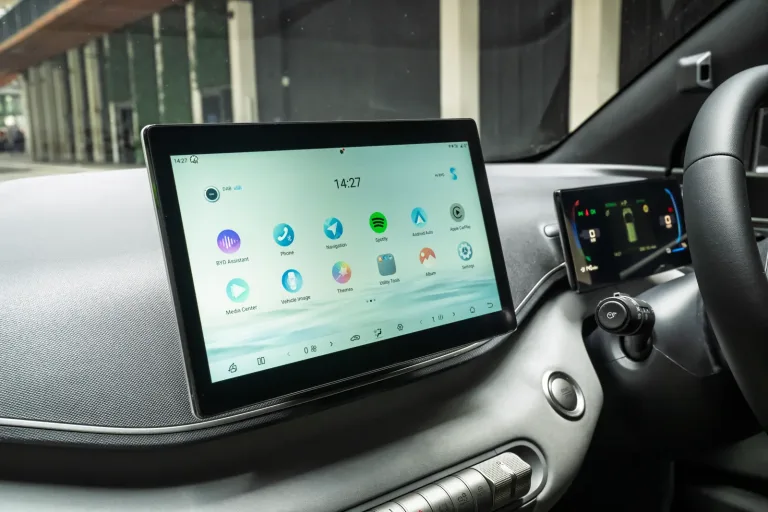
- Park before changing display settings.
- Open the Home, display-personalisation or wallpaper controls available on your screen. Safety note: A factory reset can erase settings and is not a wallpaper-enabling procedure. Use the built-in options; unauthorised formatting, rooting or unofficial packages can cause infotainment faults.
- Look for an explicit personal-photo, local-image, gallery or import option.
- If offered, follow its displayed file-type, size and storage instructions using a copy of the image.
- Check the selected image stays in place after leaving the settings screen.
What to expect
If your build offers personal-image import, the accepted image remains selected after you leave the settings. If that control is absent, the check has identified a support question—not a fault that a reset is known to fix.
If that did not work
If the option is absent, greyed out or rejects an image, give BYD the DOLPHIN SURF model year, full software version and screen you see. Ask whether personal-photo wallpaper is supported and for its file requirements and matching instructions.
Which instructions apply?
RHD 07.2024 EN_V0, PDF 133–134 (printed 132–133). The reviewed infotainment section does not give a personal-photo import sequence. Later software can add functions, so check the controls actually offered.
Preparing an image
Use a copy without documents, addresses, number plates or embedded location information. Keep the original elsewhere. Being able to display an image from USB does not by itself make it a wallpaper import function.
Related links
Source: DOLPHIN SURF handbook (BYD UK) — 07.2024 EN_V0; PDF pp. 133–134 (printed pp. 132–133). Checked 22 October 2026.
DOLPHIN SURF pictured. Images courtesy of BYD UK.