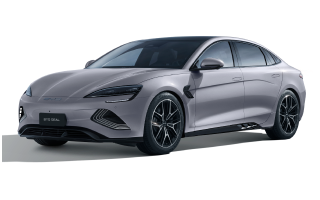
Check the basics
- Confirm the app shows the correct SEAL and refresh its vehicle status once.
- Check mobile data on the phone and whether the vehicle is in an area with connectivity.
- Close doors, windows, boot and bonnet fully and confirm the vehicle battery state is not unusually low.
- Sign out only if normal refresh fails; avoid repeated rapid commands.
Record the failure
Note the app version, phone model, vehicle-software version, time and exact error. If in-car climate works but remote commands repeatedly fail, use BYD app support. Climate warnings or failure inside the car require an authorised repairer.
Step-by-step remote climate test
- Stand near the parked SEAL with the physical key and refresh the vehicle status once.
- Confirm every opening is fully closed and no climate or traction-battery warning is present.
- Send one moderate-temperature command and wait for the app result.
- If it fails, enter the car and verify that climate works from the centre display.
- Let the vehicle reconnect in an area with coverage, then try one final remote command.
What the result means
- In-car climate works but remote control fails: focus on account, app, connectivity and remote-operation conditions.
- Vehicle status is old: the app is not receiving a current connection from the car.
- The command starts then stops: check for an opened door, battery restriction or message.
- Climate also fails inside the SEAL: this is a vehicle climate issue rather than only an app problem.
Do not send commands repeatedly. Save the timestamp, app error, phone/app versions and complete SEAL software version for support.
Manufacturer reference
Use the linked manufacturer document or page alongside the instructions supplied with your exact vehicle.
Open official source ↗